
This post was updated with a newer version in 2026
I use a lot of RTF (Rich Text Format) files in Apple’s TextEdit application because they allow bold, italic and underlined text, as well as cyrillic text encodings, images and tables, and they load a lot quicker than MS Word documents. Inspired back in 2010 by an AppleScript that creates a new TXT file in the current window, I wrote a script that creates a new RTF file in the current Finder window.
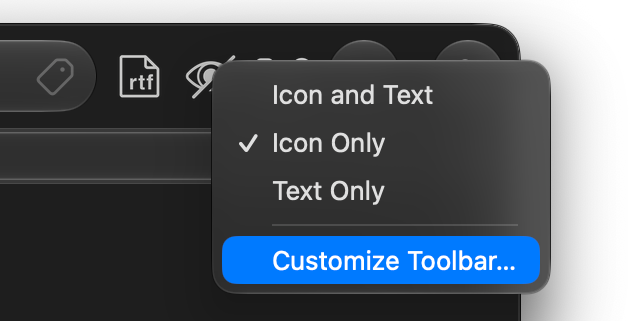
To install the compiled script, simply place it in /Applications or wherever you like, then right-click the Finder window’s toolbar and select “Customize Toolbar…”. Drag the application to the toolbar and you’re ready to go! Click the new toolbar icon and you’ll be prompted for a filename. Enjoy!
NOTE: This script is compatible with MacOS 26 (Tahoe) and newer. For previous versions of OSX, please use this legacy version.